
Step by step
Profile › Household › Care for a household (Safely manage another household).
Under Cared-for households, tap Add household, enter a name (Name, e.g. Grandma & Grandpa), then Create.
Optional: Share invite lets those you care for join with their own accounts.
To switch, tap the household name directly below the page heading › Choose household › My household or the cared-for household.
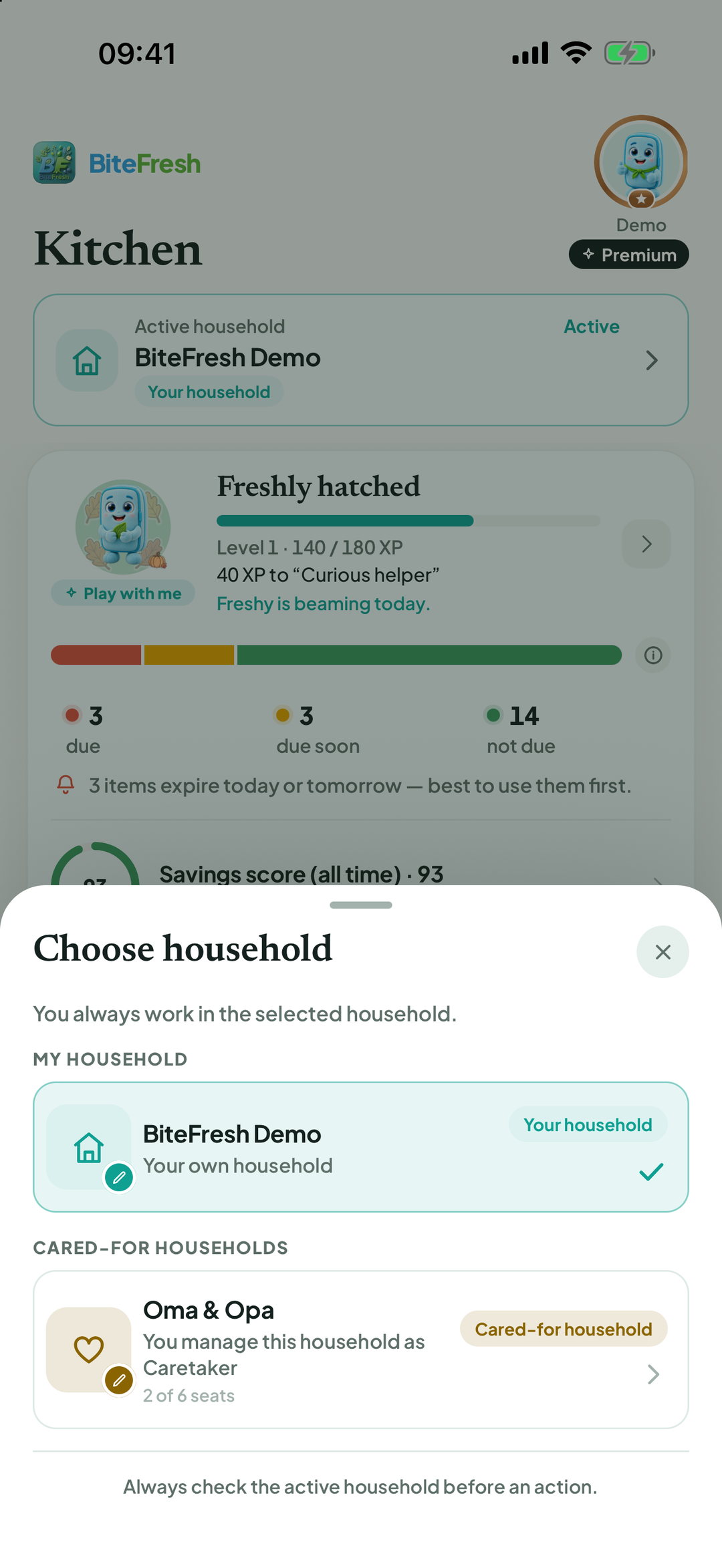
Check the name before every action. Scans, purchases and recipes always apply to the active household.
For each cared-for household, you can switch Expiry reminders on or off. Appoint co-admin lets someone from your own household help.
To stop: End caretaking › End. Data stays available to the cared-for household's members.
Good to know
Cared-for households are part of the six-person Family & Care plan: your own household plus up to three cared-for households.
Terms
Updated: 2026-09-30 · App version 1.0.4
More questions? Write to support@bitefresh.de.