
Step by step
Kitchen shows what you have at home. The traffic-light summary groups items that are due, due soon or not yet due. Below, switch between Fridge, Pantry and Freezer.
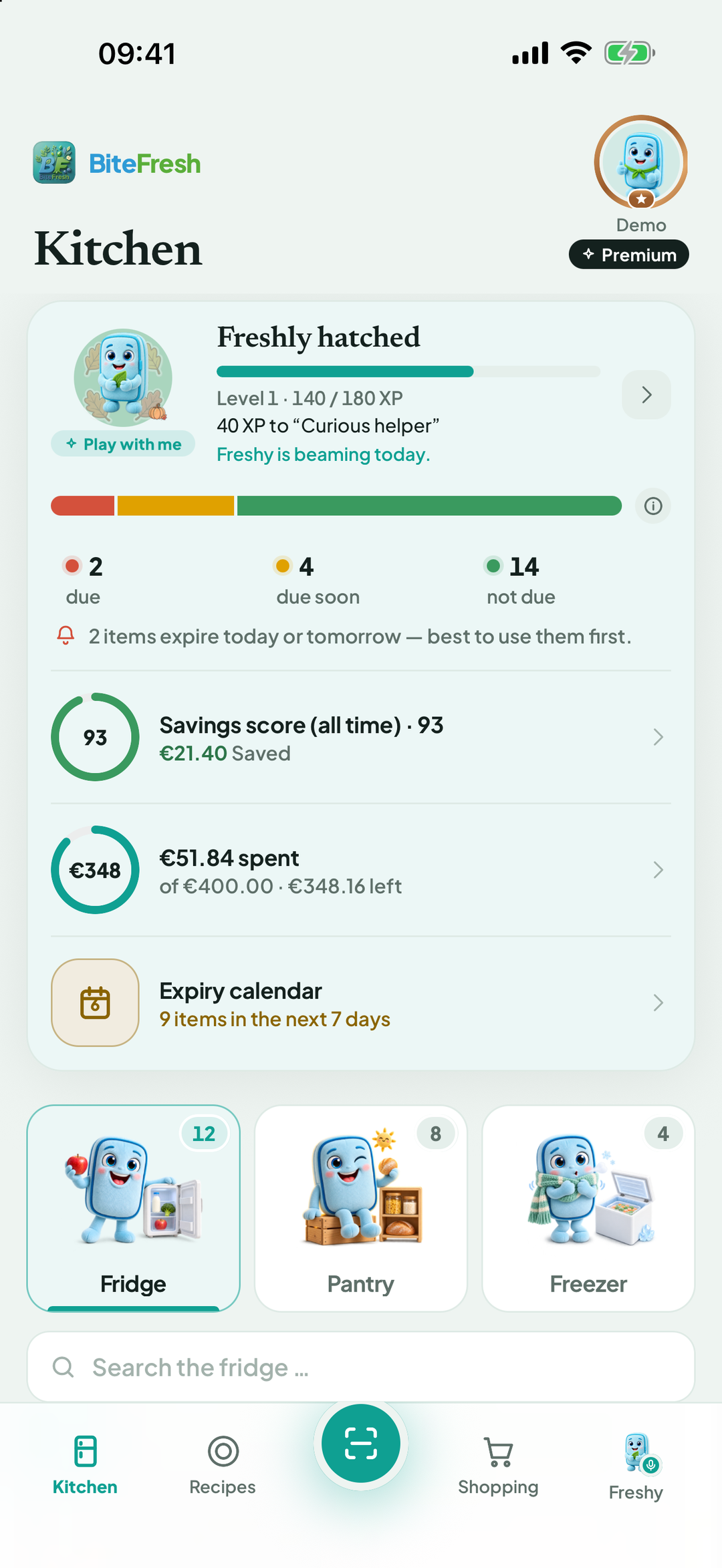
Recipes: recipes, using leftovers and the weekly plan.
The round button in the middle is Scan: scan a receipt, barcode or photo, or enter items manually.
Shopping: your shopping list, with store order and Finish shopping.
Freshy: speak or write to Freshy.
Your profile picture at the top right opens all settings, your household, subscription and help. A badge beside it shows your status, such as Premium.
Want a short tour? Profile › Help & feedback › Start guided tour. Features & help provides a searchable overview of all features.
Good to know
If you care for another household, the active household appears directly below the page heading. More: Stock for grandparents.
Terms
Storage locationFreshness traffic lightProfileActive household
Updated: 2026-09-30 · App version 1.0.4
More questions? Write to support@bitefresh.de.