
Step by step
Tap your profile picture at the top right. What would you like to configure? shows Profile, Household, Freshy & AI, Recipes, Apps and Data.
Not sure where a setting is? Tap the magnifying glass and use Search settings … to search for Push, Language or Allergies, for example.
Profile (Language & appearance): Language (German, English, French, Italian or Spanish), Country & formats, Profile picture, Product images (Photos or Icons) and Accent colour.
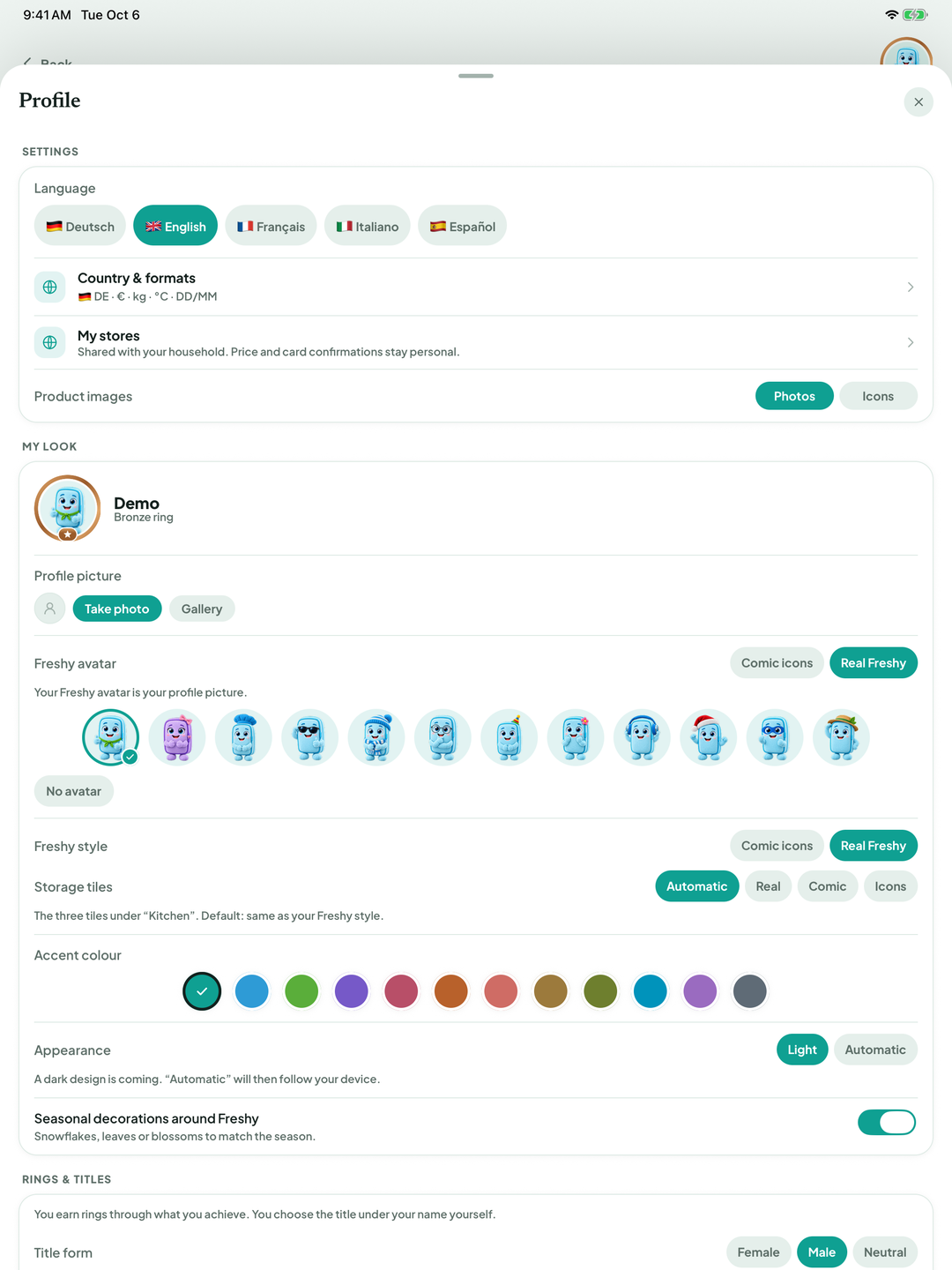
BiteFresh sets Country & formats automatically: currency, weight, volume, temperature and date format. You can change them here for the whole household. Saved amounts are not converted.
Freshy & AI (Automation & tips): Autopilot, Freshy, Freshy control, Push alerts and Adaptive shelf life.
Household (Family, plan & lists): invite people, Recipe servings, Statistics, Budget & household account and Shared lists. Enter allergies under Manage your household › Allergies & intolerances.
Recipes (Planning & community): Weekly plan and Share recipes with the community. Apps: Connect Bring!, Connect Picnic and Alexa. Data (Privacy & account): AI features, Allow price and receipt learning, Allow usage and best-before contributions and your account.
Good to know
If your app language differs from your phone's language, Freshy occasionally offers to switch it: at most once every 14 days, three times in total, and never within the first 24 hours after registration.
Allergies apply to all household recipe suggestions and weekly plans. BiteFresh checks ingredient names and also recognises many ingredients containing an allergen not stated in their name, such as egg in spaetzle, pasta dough or mayonnaise and gluten in bread and dough. Always check the packaging yourself as well.
Terms
Country & formatsProduct imagesAccent colourFreshy controlAllergies & intolerances
Updated: 2026-09-30 · App version 1.0.4
More questions? Write to support@bitefresh.de.