
Step by step
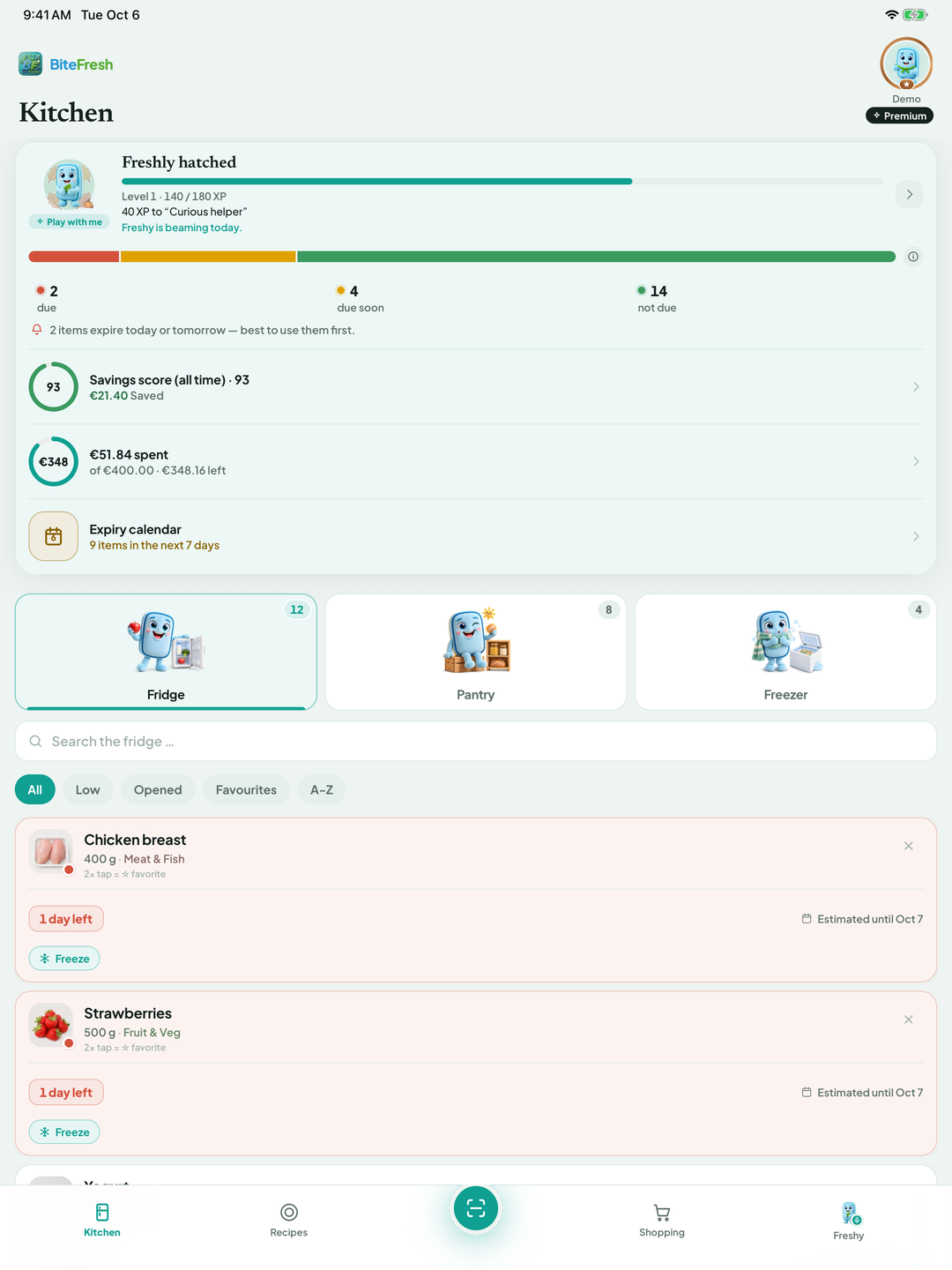
The traffic light in Kitchen groups items by their due date: 🔴 due, 🟡 due soon, 🟢 not yet due. The totals at the top summarise these groups.
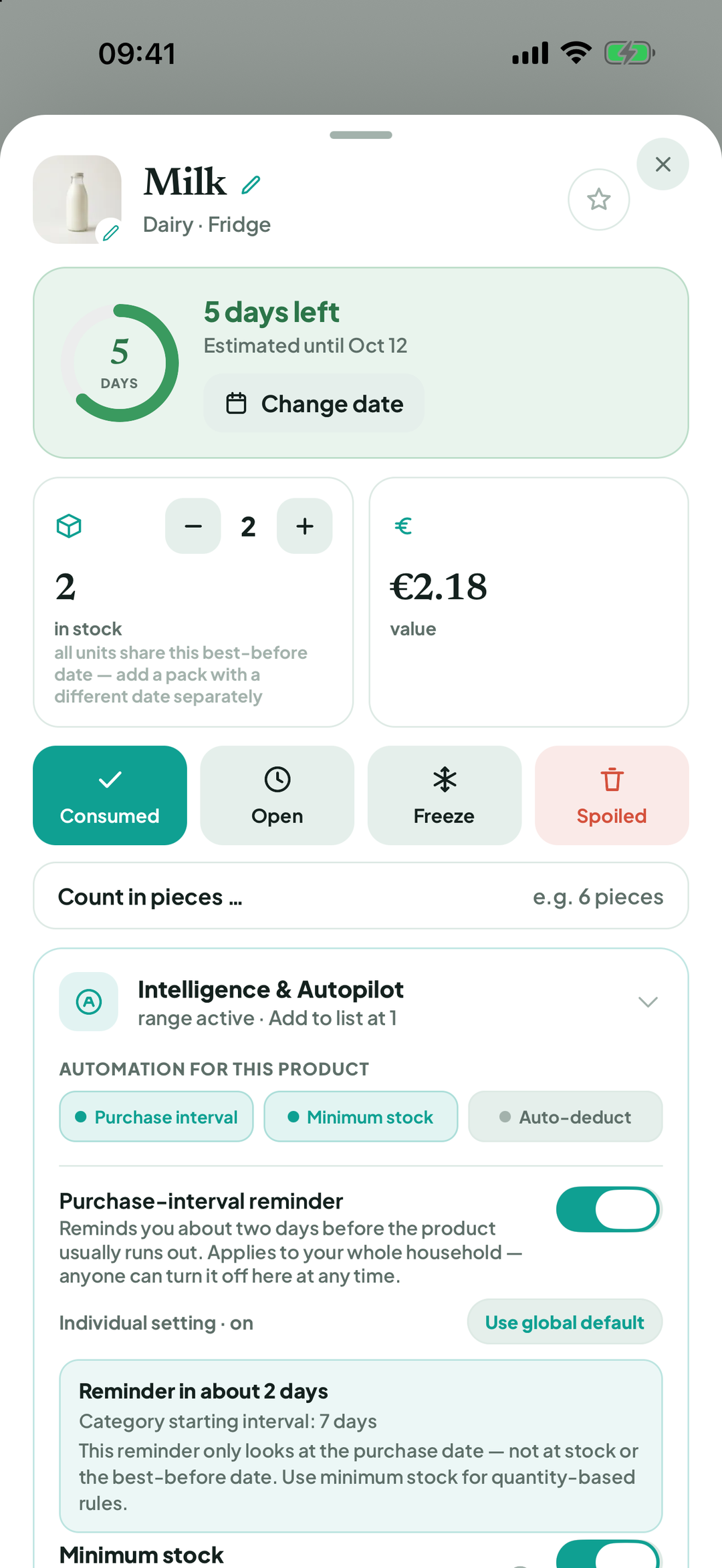
Tap a product. At the top it says best before …, or Freshy estimate: best before around … if no pack date has been entered yet.
To enter the pack date, tap + add date beside Best-before date on pack. Enter digits only in the displayed date format and save.
To change Freshy's estimate: Adjust shelf life › choose the days. BiteFresh remembers this and suggests it next time you buy the product.
After opening, the shorter after-opening period applies. That is why the date changes when you tap Open.
A best-before date is not an automatic disposal date. When you use something after it, the app asks whether it was still good. Yes, still good or No, it was bad helps Freshy learn.
To view or forget remembered values: Profile › Freshy & AI › Adaptive shelf life › Remembered shelf lives.
Good to know
The traffic light helps you plan but is not a freshness check. Use your senses and follow packaging and storage instructions. A use-by date, for example on minced meat, must be observed strictly.
Adaptive shelf life is part of Premium. It learns from your feedback when products actually go bad in your household.
Terms
Freshness traffic lightBest-before date (BBD)Use-by dateFreshy estimateAdaptive shelf lifeShelf life after opening
Updated: 2026-09-30 · App version 1.0.4
More questions? Write to support@bitefresh.de.