
Step by step
Open Recipes › Discover › Base recipes.
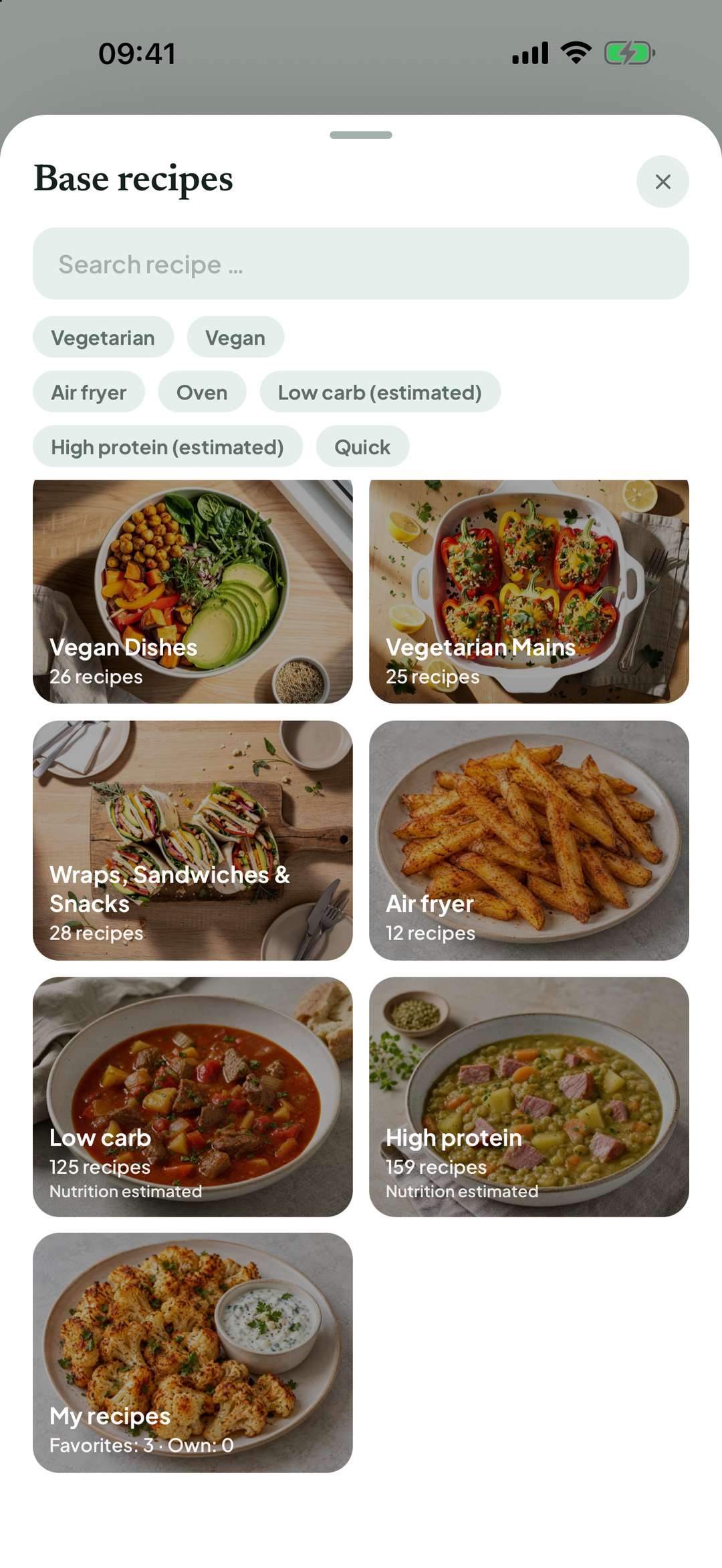
Below search and Vegetarian / Vegan are the filters Air fryer, Oven, Low carb (estimated), High protein (estimated) and Quick. Only filters with matching recipes are shown.
Tap a filter to show matching recipes directly instead of categories. Tap it again to clear it.
Multiple filters apply together: Air fryer plus Low carb (estimated) shows only recipes matching both. If none fit, the app tells you. Clear one filter to broaden the selection.
Below the filters, their meanings are explained: low carb is up to 20 g carbohydrate per serving; high protein is at least 25 g protein per serving and at least 20% of energy; quick is up to 30 minutes.
The same filters are available for saved recipes under All recipes & favorites. Classes from Recipe ideas are included there, such as One pot or Family cooking.
Your own recipes without nutrition values are excluded from Low carb and High protein. Tap Estimate nutrition in the recipe to include them.
Good to know
Filters are guidance, not a promise. AI initially classified the appliances and methods for base recipes, followed by checks using fixed rules. Nutrition is estimated from ingredients, not nutrition labelling. Always check ingredients yourself for allergies and intolerances.
Filtering is free and needs no AI consent; it uses the included base recipe data. Only Estimate nutrition for your own recipes is an AI feature.
Terms
Updated: 2026-09-30 · App version 1.0.4
More questions? Write to support@bitefresh.de.